Microsoft 365 Copilot training

Microsoft 365 Copilot training for teams

Get more value from the Copilot you already have.

Your organisation may already have access to Microsoft 365 Copilot through its subscription. But are your people getting much value from it?

With the right approach, Copilot can do far more than draft an email or summarise a document. It can help people make sense of complicated information, challenge their thinking, improve the quality of their work and tackle time-consuming tasks.

I deliver practical, hands-on Microsoft 365 Copilot training, tailored to your organisation and the tools your team actually has access to.

I've worked with hundreds of people on Microsoft 365 Copilot, including teams at the Barbican, Bristol Old Vic, Dutch National Opera & Ballet and Scenit (Denmark).

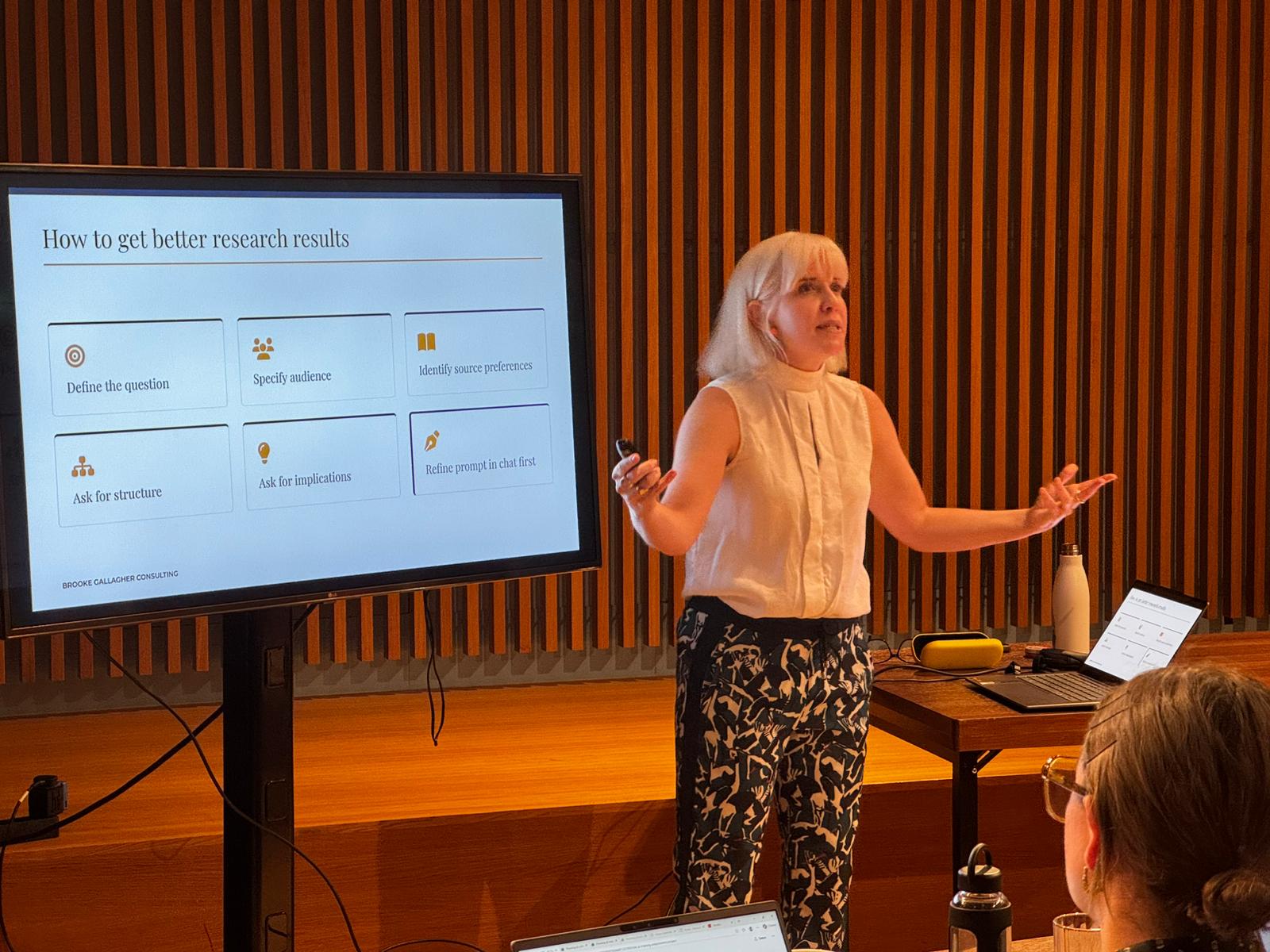
Brooke Gallagher leading a training session beside a slide titled ‘How to get better research results’.

What could your team do with Copilot?

These are some of the practical activities we explore in my workshops. We adapt them to the work your team does and the tools available to them.

Make better use of your organisation's knowledge

Bring together project documents, reports and reference materials. Use Copilot Notebooks to identify conflicting information, prepare for meetings, examine project plans and find answers grounded in your own sources.

For example Bring campaign briefs, departmental plans and key dates together to identify missing actions, conflicting messages and decisions needed before launch.

Build useful agents for repetitive work

Create an agent that checks communications against your house style, reviews documents for missing information or follows a consistent research process.

Give it clear instructions, test its results and improve it until it produces something genuinely useful. Explore how reusable agents can support a whole team rather than just one individual.

Find insights in your data

Work with spreadsheets, audience feedback and performance reports.

Use Copilot to find patterns, explore possible explanations, spot inconsistencies and communicate findings clearly. Learn how to ask better questions of the data and check whether the evidence supports the conclusions.

Think, plan and create

Use Copilot as a collaborator when preparing presentations, developing ideas or making decisions.

Have it question your assumptions, help structure your thinking and explore possibilities before you decide what to do. Learn to develop and refine an idea rather than accepting the first answer it generates.

The activities are adapted to your team's Microsoft 365 setup and available licences. We'll work with the features you have access to, whether that's the included Copilot Chat or additional capabilities through paid licences.

Practical training that builds lasting skills

We start with the fundamentals of how generative AI works, what it's good at and where its limitations lie.

Then we get hands-on.

Participants learn how to improve the relevance and accuracy of Copilot's responses, personalise their experience and give it the context it needs.

We'll explore how to use AI as a collaborator and critical friend, develop reusable instructions, and recognise when an answer needs challenging or checking.

We'll also look at responsible AI use, privacy, organisational policies and the importance of retaining human judgement.

I use a short survey beforehand to understand your team's starting points and priorities. People can work on suitable tasks of their own or use realistic sample materials I provide.

The goal is for everyone to leave with practical skills, reusable instructions and tools they can continue developing after the workshop.

Brooke Gallagher talking with two workshop participants, one with a laptop open in front of him.
Proven results

Building confidence across the whole team

Good training should do more than improve the average. It should help the people who start with the least confidence make meaningful progress too.

In August 2026, I completed three Microsoft 365 Copilot training sessions for heads of departments and senior leads at the Barbican.

Confidence Before and after

50%

Increase in self-reported confidence

Average confidence rose from 4.9 to 7.4 out of 10.

33% to 0%

Participants reporting low confidence

Before training, a third of participants rated their Copilot confidence at 4 out of 10 or below. Afterwards, nobody did.

Recommendation After the session

9.2/10

Average recommendation score

96%

Rated the training 8 or above

For likelihood to recommend.

I design my sessions for people with very different starting points, including those who are sceptical, unsure about the technology or simply haven't found a useful way to work with it.

Building confidence across the whole team matters as much as helping the more experienced participants develop advanced skills.

This session was much less about selling the idea and more about how to get practical use out of a potentially useful tool that's available to us, set things in context and think about the limitations and boundaries. Participant, Barbican Microsoft 365 Copilot training

Training designed around your organisation

Every team is different.

Some people are just beginning to experiment with AI. Others are already using Copilot but want to get better results, develop more sophisticated workflows or build tools they can share with colleagues.

I tailor each session around your team's experience, priorities and available tools.

We might start with an introductory workshop, develop sessions for particular departments or work together on specific problems and workflows.

For teams ready to go further, I also provide follow-up coaching and consultancy to help turn promising ideas into working solutions.

The aim is to build lasting internal capability, so people continue learning and improving long after the session.

From my wider AI skills training

From a full day to five minutes

Thanks to Brooke's AI skills webinar, I was able to build a tool that produces our regular pack of statistical board reports in just five minutes. It used to take me a full day.

Jonathan Brown Chief Executive, Society of Ticket Agents and Retailers
Portrait of Brooke Gallagher.

Who you'll be working with

I'm Brooke Gallagher, an AI literacy and training consultant with twenty years' experience across arts, culture and software.

I've worked at the National Theatre, Tessitura Network and Spektrix, helping people make better use of technology throughout my career.

More recently, I've worked with the Barbican, Bristol Old Vic and Dutch National Opera & Ballet, and supported more than 500 people in practical AI adoption.

I understand that people have different levels of confidence, different priorities and different feelings about using AI.

My approach is human-centred, practical and tailored. I want people to understand these tools well enough to use them confidently, challenge what they produce and decide for themselves where they're genuinely useful.

Read more client stories →

Let's get more from the tools you already have.

Whether you're introducing Microsoft 365 Copilot to your team or trying to get more from an existing investment, I'd be happy to talk through what would make the biggest difference for your organisation.